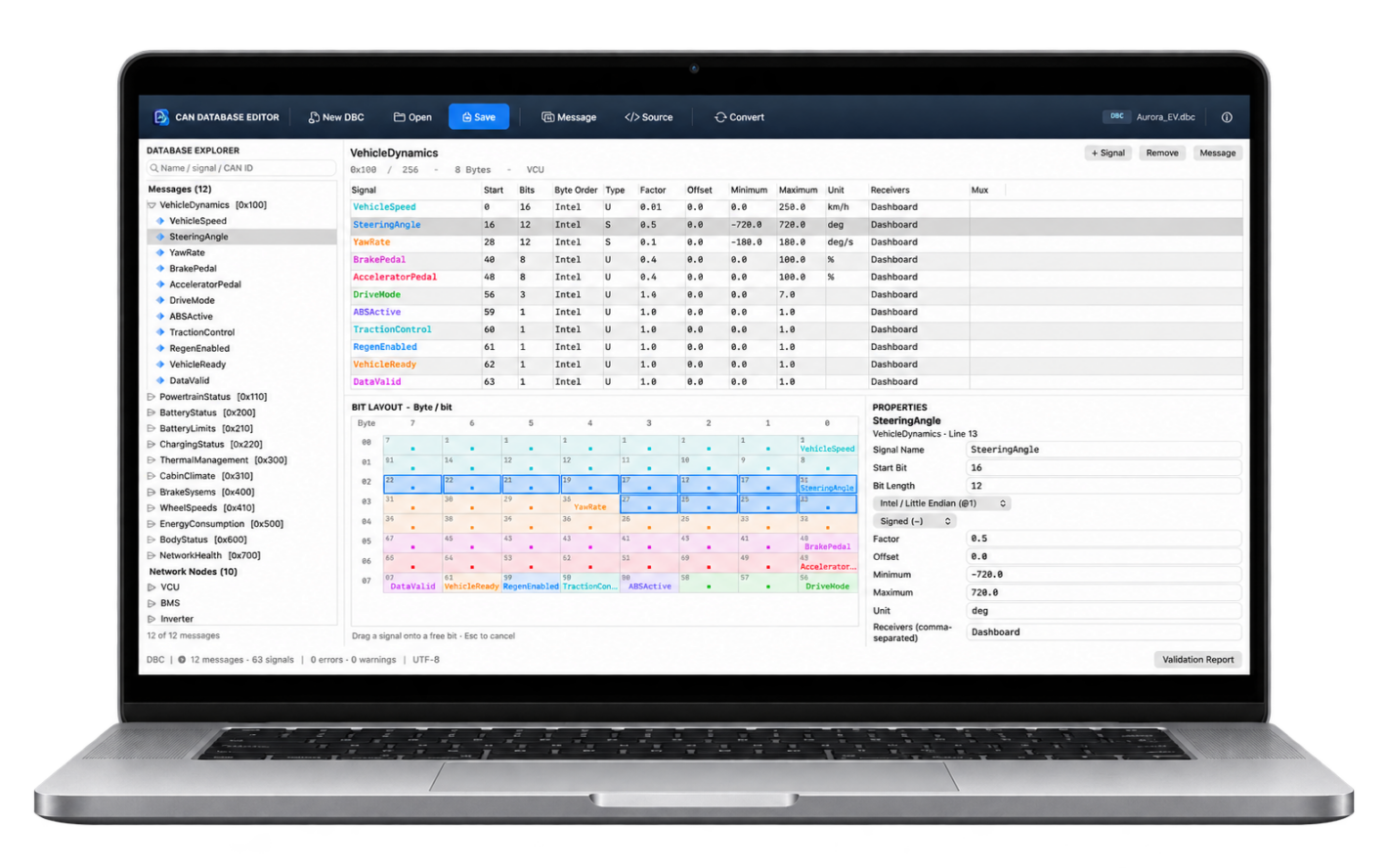
CAN Database Editor lets you open, explore and edit CAN databases on macOS. With support for both DBC and SYM files, it brings messages, signals and bit layouts together in one workspace.
A detailed signal table keeps essential information in view. Use the Properties panel to adjust signal names, start bits, bit lengths, byte order, scaling, value ranges and units.
The color-coded bit layout shows how signals fit within each CAN message. Move signals with drag and drop, and use validation feedback to identify layout conflicts.
Features at a glance:
- Open, edit and save DBC and SYM files
- Create and modify messages and signals
- Search by name, signal or CAN ID
- Inspect signal positions in a color-coded bit layout
- Move signals with drag and drop
- Edit database text in the built-in source editor
- Convert DBC to SYM and SYM to DBC
Before exporting to another format, a conversion report explains which format-specific information may not transfer completely.
CAN Database Editor is a native Mac app for working with CAN database definitions. No CAN interface or vehicle connection is required.
Available on the Mac App Store as a one-time purchase. No subscription.